


Budgeting App - Spend Tracker
4.773.00 Reviews
App Specs
- Version
- 5.9.8
- Updated On
- License
- Free
- Downloads
- 100,000+
- Developer
- The Budgeting App
- Categories
- Finance
- Platform
- Android
Screenshots
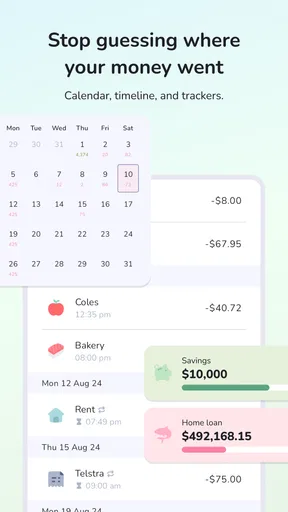
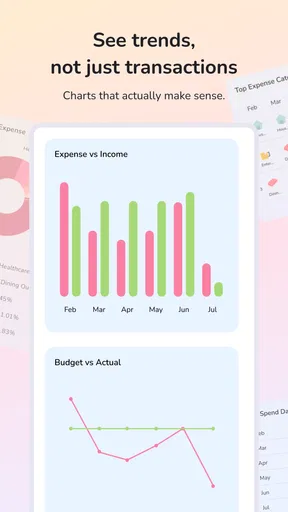
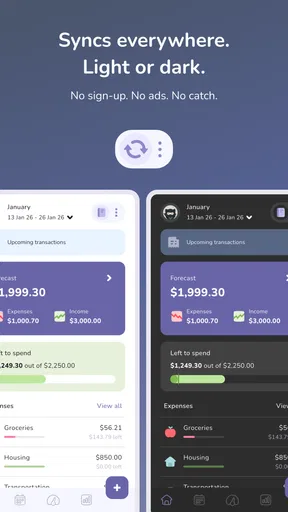
 Analysis by AppCompare
I think of budgeting as a chain of small decisions rather than a monthly test of willpower: notice what came in, record what went out, then choose what to change. Budgeting App - Spend Tracker is built around that everyday routine. It is a finance app from The Budgeting App, and its appeal is that it brings planning and expense tracking into one place without making money management feel like a specialist hobby.
The moment a budget becomes useful
The app makes most sense when you already have a practical question in mind: why does the account feel low before payday, or how much room is left for groceries after bills? I would not expect an app to solve those questions simply by being installed. Its value comes from checking it regularly and turning what it shows into a decision, such as holding off on an optional purchase or setting a more realistic limit next month.
That makes it a good fit for someone who wants a visible routine, especially a budgeting beginner who finds spreadsheets too blank and intimidating. It is also useful for a person who already tracks spending but wants monthly category limits and a clearer visual overview. The app is free to download, rated for Everyone, and has a 4.7 average from around 3,200 ratings, which suggests many users find the approach approachable. Optional in-app purchases range from $2.99 to $42.99 per item, so I would check what is included before paying for anything.
It is less suited to someone who wants a hands-off system and has no interest in reviewing transactions. Even a helpful tracker cannot make spending choices on your behalf. If you prefer to keep financial details entirely in a notebook or spreadsheet, that simpler method may suit you better; if you need a highly customized planning setup, compare available tools before moving your whole routine into one app.
From a purchase to a useful monthly picture
My first step would be to choose a short trial period and observe normal spending rather than trying to overhaul everything at once. A week that includes groceries, transport, and a meal out is more informative than a carefully controlled stretch that does not resemble real life. The point is to see whether the categories and budget limits help you understand your habits, not to produce a perfect-looking chart.
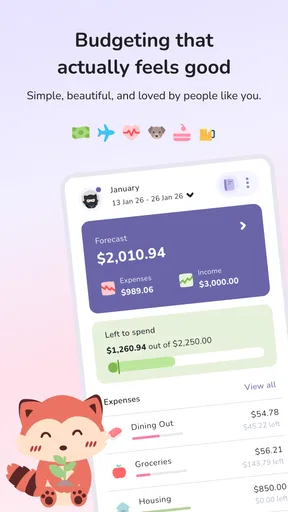
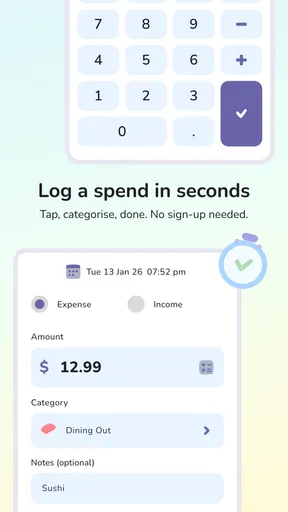
For example, imagine buying groceries on the way home, grabbing coffee the next morning, and paying for dinner with friends later in the week. When those expenses appear in categories, the useful question is not whether one coffee was “bad.” It is whether the dining and small convenience purchases together are crowding out something you care about more. A category limit can make that trade-off visible while there is still time to adjust.
Set limits that can survive real life
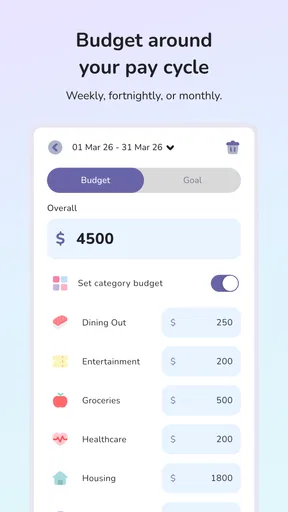
I would start with only a few categories that matter most, rather than assigning a strict target to every possible expense. A limit should guide a choice, not create a new reason to feel guilty. If groceries vary because of household needs, for instance, a target based on one unusually cheap month will probably be frustrating. Use the first review to learn what is typical, then revise the next month’s plan accordingly.
Worth Reading Before You Choose

Flipboard Shows What News Apps Must Do Beyond the Feed

Switching to Android Auto Means Rethinking Your Driving Routine

Google Calendar Makes a Crowded Week Easier to Manage

Ludo King Makes the Most of the Minutes Between Plans

Baby Panda World Brings Quick Play to Modern Phones, but Its Game Library Feels Busy

ESPN’s Live Game View Makes Following Close Games Easier
The red warning as a category approaches its limit can be useful, but it is a signal to pause, not proof that the plan is working. If a necessary expense pushes a category over budget, the right response may be to shift money from a less important category or adjust the target. Treating every alert as a failure can make budgeting feel punitive; using it as a prompt to choose deliberately is more sustainable.
A small but useful habit is to check the category before making a discretionary purchase, not only after the month ends. That turns the budget from a report into a decision aid. It also helps reveal whether the limit is too loose to guide you or so tight that it is repeatedly ignored. Either result is information for the next plan.
Review the handoffs, not just the charts
The workflow depends on moving from transactions to categories, and then from categories to a choice. Automatic categorization can save the dull work of entering each purchase, while the visual charts help show patterns at a glance. Still, I would review the categories rather than assuming that every transaction lands exactly where I would put it. A useful tracker is only as clear as the picture you act on.
For a weekly check-in, I would scan the spending breakdown, look for a category that is moving faster than expected, and decide whether to change behavior or change the plan. This is more actionable than studying every chart in detail. The app also allows financial data to be exported into spreadsheets, which gives a natural handoff to anyone who wants to sort or inspect the information outside the app. That option is valuable for a deeper review, though it adds a step and may be unnecessary for someone who only needs a quick monthly overview.
Reminders and alerts can support a routine, and the app includes goal setting for plans such as saving toward a trip or a purchase. I would connect a goal to a specific choice: decide what spending can reasonably be reduced, then check whether progress is moving in the intended direction. A progress bar can be motivating, but it does not replace checking that the goal fits your other priorities.
Where the routine can feel less smooth
Any approach that relies on regular checks asks for a little attention. If you ignore alerts or only open the app after a spending-heavy month, the information arrives too late to guide that month’s choices. I would schedule a brief review at a time I already have available, such as after checking weekly errands, rather than waiting for motivation to appear.
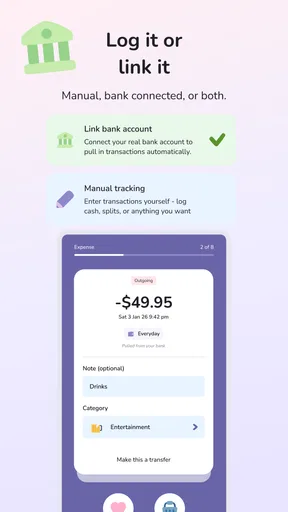
The original setup experience felt straightforward, and the interface did not bury the main budgeting ideas beneath a long list of options. However, linking accounts is not the right starting point for everyone. Some people would rather begin by entering or reviewing information manually, especially if they are still deciding whether they want their finances organized in an app. The app’s account connection and security claims may reassure some users, but I would still make a deliberate choice about what financial information I am comfortable connecting and review the app’s current terms before proceeding.
There is also a difference between reminders and complete bill management. A reminder can help keep a due date in view, but I would not treat a notification as proof that a payment has been made. For important bills, keep the confirmation from the provider or your payment method as the final record. That extra check matters if you rely on alerts to stay organized.
Who should choose it, and what to expect
Compared with a paper notebook, this app can make category patterns easier to see and can spare you from writing down every purchase. Compared with a spreadsheet, it offers a more guided starting point, while exporting data gives spreadsheet users a route to continue their own analysis. The trade-off is that a notebook or spreadsheet can be shaped exactly to your preferences, whereas an app’s built-in categories and workflow may not match every household’s way of handling money.
I would recommend trying it if you want a clear monthly structure, find visual feedback useful, and are willing to make a short review part of your routine. It is especially promising for someone who wants to understand everyday spending before setting ambitious savings targets. I would skip it if you dislike digital tracking, need a very tailored accounting process, or expect automatic categorization and reminders to remove the need for your own checks.
The app was released on August 13, 2022, and its current version is 5.9.8, with a minimum operating system requirement of 11. It has passed 100,000 installs. Those details help set expectations about availability and compatibility, but the more important question is whether its workflow fits your habits. If you decide to try it, begin with a few categories, review the first results without judging yourself, and change only one spending decision at a time. That is a more realistic way to find out whether this budgeting companion earns a place in your routine.
Getting Started with Ease
Right off the bat, setting up Spend Tracker was a breeze. After downloading it from the app store, I was greeted with a friendly interface that didn’t overwhelm me with too many options. The app’s design is sleek, intuitive, and surprisingly colorful for a finance app. It felt like the developers really wanted to make budgeting a bit more fun and less daunting.
The initial setup took me about five minutes. I quickly linked my bank accounts, and I was pleasantly surprised at how smoothly the app integrated with them. No hiccups, no confusing steps—just a straightforward setup that made me feel like I was already winning at adulting.
Features That Make a Difference
One of the standout features of Spend Tracker is its ability to automatically categorize your expenses. I mean, who has the time to manually enter every coffee purchase? The app does a commendable job of sorting transactions into categories like groceries, entertainment, and dining out. It was like having a personal accountant in my pocket.
Another cool feature is the budget planner. It lets you set up monthly limits for each category, and believe me, seeing those numbers turn red as you approach your limit is a real wake-up call. It’s like the app is gently nudging you to reconsider that extra latte.
I also loved the visual breakdown of my spending. The pie charts and graphs are not just eye candy; they really help in understanding where your money is going. It’s a lot easier to justify cutting back on dining out when you see it taking up a hefty chunk of your budget pie.
User Experience and Accessibility
Spend Tracker excels in user experience. Navigating through the app is as smooth as butter. Whether you’re tech-savvy or not, you’ll find it easy to use. The developers have clearly put a lot of thought into making it accessible to everyone.
For those who love data, the app allows you to export your financial data into spreadsheets. It’s perfect for those Sunday afternoon financial reviews where you sit with a cup of tea and ponder your life choices.
Another noteworthy mention is the app’s security features. With sensitive data like bank details involved, Spend Tracker ensures that your information is secure. The app uses bank-level encryption, which definitely gives peace of mind.
Keeping You on Track
The app’s reminders and alerts are lifesavers. If you’re the type to forget bills or important payments, Spend Tracker has got your back. It sends you gentle reminders before due dates, ensuring you never miss a payment. It’s like having a financial conscience that keeps you on the straight and narrow.
One of my favorite features is the goal-setting tool. Whether you’re saving up for a vacation or a new gadget, the app lets you set financial goals and tracks your progress. Watching that savings bar inch closer to completion is incredibly satisfying.
Final Thoughts
Overall, Budgeting App - Spend Tracker is a fantastic tool for anyone looking to get a handle on their finances. It’s perfect for budgeting newbies and seasoned savers alike. The app makes managing money a less tedious task and actually injects a bit of fun into the process.
If you’ve been looking for a way to simplify your financial life, I’d definitely recommend giving Spend Tracker a try. It’s not just an app; it's like having a financial buddy who’s always looking out for you. So, why not take the leap and see how much closer you can get to your financial goals?
Download it, give it a whirl, and let me know how it transforms your budgeting game!
Pros
- User-friendly interface for quick navigation.
- Real-time expense tracking keeps you updated.
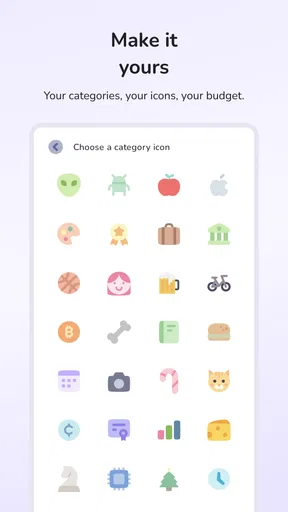
- Customizable categories suit personal needs.
- Secure data protection ensures privacy.
- Integration with banks for automatic updates.
Cons
- Limited features in free version.
- Occasional sync issues with bank accounts.
- Ads can be intrusive in the free version.
- Requires internet for full functionality.
- No investment tracking options available.
FAQs for Budgeting App - Spend Tracker
What features does the Budgeting App - Spend Tracker offer?
The Budgeting App - Spend Tracker provides a comprehensive suite of features including expense tracking, budget planning, financial goal setting, and real-time alerts. Users can categorize expenses, generate detailed reports, and integrate bank accounts for seamless financial management. The app also offers personalized financial insights based on spending patterns.
Is Budgeting App - Spend Tracker secure and private?
Yes, security and privacy are top priorities for the Budgeting App - Spend Tracker. The app uses advanced encryption techniques to protect user data. Additionally, it complies with industry standards for data protection and privacy, ensuring that your financial information remains confidential and secure at all times.
Can I sync Budgeting App - Spend Tracker with my bank accounts?
Absolutely! The app allows users to securely sync their bank accounts, enabling automatic transaction imports. This feature helps in maintaining accurate records without manual entry. The app supports a wide range of banks and financial institutions, making it convenient for users to track their finances effortlessly.
Is Budgeting App - Spend Tracker suitable for beginners?
Yes, the Budgeting App - Spend Tracker is designed to be user-friendly, making it suitable for beginners. The intuitive interface and easy-to-navigate features help users quickly set up budgets, track expenses, and gain financial insights. Additionally, the app provides tutorials and tips to assist users in maximizing its potential.
Does Budgeting App - Spend Tracker require a subscription?
The app offers both free and premium versions. The free version provides essential features such as basic expense tracking and budgeting tools. For advanced features like multi-account syncing, detailed reports, and personalized insights, a subscription to the premium version is required. Users can choose a plan that best suits their needs.


